Fourteck Starlink Commissioning & Network Support
Starlink Dish Setup and Configuration Dubai
Starlink Dish Setup and Configuration Dubai is Fourteck’s commissioning-focused service for customers who already have a Starlink kit, are preparing to deploy one, or need an existing installation checked before it becomes part of daily home or business use. The scope is wider than simply powering the dish. It covers clear-sky verification, cable and power checks, Starlink app setup, model-appropriate alignment, Wi-Fi naming and security, router placement, software and obstruction checks, device testing, optional LAN or firewall integration, and a practical handover. Permanent roof, pole and structural mounting can be planned separately when the property needs it. The objective is a clean transition from hardware in the box to a connection that is understandable, testable and ready for the way the site will actually use it.
Commission and configure a Starlink kit after hardware selection, with emphasis on app setup, alignment, router/Wi-Fi readiness, testing and handover.
Villas, offices, warehouses, remote cabins, project sites, farms, temporary facilities and backup-connectivity locations in Dubai and the UAE.
A replacement for structural roof work, specialist pole fabrication, electrical modification, landlord approvals or plan eligibility checks that require a separate scope.
A verified setup path, working local network, documented checks and clear next actions for Wi-Fi expansion, firewall integration, failover or mounting where needed.
What Starlink dish setup and configuration actually includes
A Starlink kit can often be brought online with fewer steps than a traditional VSAT system, but that does not make every real-world deployment identical. The customer may have a current Standard terminal that relies on software-assisted manual alignment, a Starlink Mini with integrated Wi-Fi, an older actuated terminal that positions itself, or a more demanding Performance installation whose mounting, power and service-plan requirements are different again. Fourteck begins by identifying the exact kit and the intended use. This avoids a common setup mistake: following instructions for a different hardware generation because a video, forum post or old checklist uses the same generic word “Starlink.”
The commissioning process is therefore built around the actual terminal, router, power arrangement and property. For a villa, the priority may be confirming that the dish sees enough open sky and then moving the indoor Wi-Fi point away from a utility room so bedrooms and home-office spaces receive better coverage. For a warehouse, the main requirement may be to bring Starlink into an existing firewall, switch and access-point environment rather than using the supplied router as the only network device. A construction cabin may need straightforward Wi-Fi for field reporting today but a more structured LAN and dual-WAN design later. A remote farm or desert site may need extra attention to power stability, cable protection and where networking equipment is placed relative to heat and dust.
Fourteck treats the phrase “dish setup” as the point where outdoor satellite connectivity and the indoor network meet. The dish needs a suitable field of view; the cable and connectors need to be seated and protected correctly; the kit needs appropriate power; the app needs to recognize the hardware; alignment needs to follow the method intended for that model; the router or integrated Wi-Fi needs to be configured; and the finished system needs enough validation that the customer knows whether a later problem is related to obstruction, Wi-Fi, local cabling, the service plan, or the wider satellite network. That diagnostic clarity is one of the main reasons to commission the system methodically rather than stopping as soon as a single phone can browse the internet.
Important: Starlink’s current guidance requires a clear view of the sky and recommends using the Starlink app’s obstruction tool before permanent installation. If a kit cannot be installed safely, professional assistance should be used rather than improvising roof access or mounting. Service and plan eligibility can vary by address, kit and intended use, so configuration should never be treated as proof that a particular plan or mobility mode is authorized for every location.
From unopened kit to commissioned connection: the Fourteck workflow
The sequence below is designed to reduce rework. It separates physical readiness, Starlink-side commissioning and local-network configuration so that each layer can be checked before the next one is blamed for a problem.
Identify the exact kit and intended role
Confirm terminal generation, router model, power supply, included cable, mount or kickstand, service intention and whether Starlink is expected to be the primary link, backup link or temporary project connection. This prevents configuration advice from being copied across incompatible generations.
Check the proposed sky view
Use the Starlink app’s obstruction check from the intended mounting height and location. Nearby parapets, towers, trees, tanks, poles, shade structures and roof plant can matter even when the sky looks generally open from ground level.
Inspect cable and power readiness
Confirm cable seating, connector condition, available cable path, power outlet quality, power-supply placement and whether a UPS is required. The goal is to avoid troubleshooting the network while a basic physical connection or power issue remains unresolved.
Bring the terminal online
Power the system and follow the model-specific startup method. Current non-actuated terminals use app guidance for alignment; older actuated terminals can position themselves. The terminal should not be forced into an orientation that contradicts its own installation guidance.
Configure Wi-Fi and app access
Create or confirm the wireless network details, secure account access, check the terminal and router status in the app, and verify that the primary test device is connected to the intended Starlink network rather than a nearby mobile hotspot or legacy Wi-Fi network.
Allow updates and obstruction data to settle
New or recently moved hardware may need software updates and time to build useful obstruction information. A first-minute speed test is not a complete commissioning result. App status, obstruction behavior and repeat tests are more useful than a single headline number.
Integrate the local network
Where required, connect Ethernet devices, switches, access points or a firewall. Decide whether the Starlink router remains the main router or whether another network device should handle routing, security, VLANs, VPNs or failover. This is a design choice, not a universal setting.
Test and hand over
Verify representative devices and applications, record the chosen dish and router positions, explain the app indicators, note any unresolved obstruction or Wi-Fi limitations, and document recommended follow-up work such as mesh coverage, permanent mounting or firewall failover.
Hardware generation matters before any configuration begins
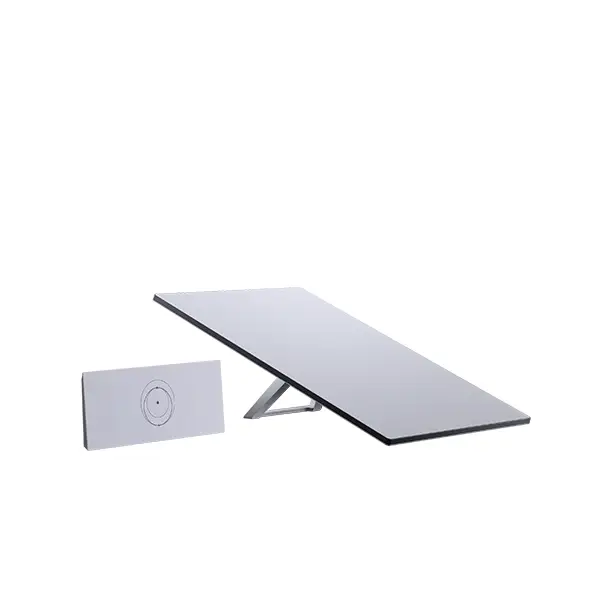
“Starlink dish” is a convenient customer phrase, but the practical setup depends on the generation. Current Standard configurations can use software-assisted manual alignment rather than the automatic movement associated with earlier actuated hardware. Starlink Mini uses a compact terminal with integrated Wi-Fi and can be suitable for smaller or portable deployments where the service plan and local use case permit. Router bundles also differ: some current Standard bundles are paired with Router Mini while other Standard configurations are paired with Router 3. Fourteck therefore checks the box contents and model instead of assuming that every Standard kit has the same router, ports or power arrangement.
For customers with older actuated hardware, the setup conversation changes. The terminal is designed to position itself and should not be manually forced because an online tutorial for a newer manually aligned model shows a different process. For current Standard and Mini terminals, the Starlink app’s alignment guidance is important because the goal is not to “aim at a satellite” in the traditional fixed-dish sense. The Starlink system works with a moving low Earth orbit constellation and the terminal needs the field of view and orientation expected by its software. Fourteck’s role is to make sure the customer follows the right workflow for the exact hardware rather than importing assumptions from conventional satellite-TV or VSAT alignment.
A Performance-class installation can also require a different level of planning because it may be selected for more demanding business, remote, maritime or mobility-related scenarios. Those deployments can involve different mounts, power requirements and service eligibility. A generic villa setup checklist should not be reused for a moving vessel or industrial site. Where the customer’s requirement is primarily about choosing or comparing the hardware before configuration, Fourteck maintains separate product pages such as Starlink Standard 4 Dubai, Starlink Standard 4 X Dubai, Starlink Mini Kit Dubai and Starlink Performance Dubai.
The benefit of this hardware-first approach is practical. It helps prevent incorrect cable purchases, wrong assumptions about Ethernet ports, unsuitable third-party mesh planning, accidental attempts to power equipment in the wrong way, or unnecessary changes to a setup that is already behaving as designed. It also makes later troubleshooting more efficient because the customer and technician are discussing one known configuration rather than the generic Starlink brand.
Clear-sky verification comes before speed testing
A Starlink connection can be online and still be badly placed. That is why Fourteck treats obstruction checking as a commissioning item rather than a cosmetic installation detail. The Starlink app can evaluate the planned location before permanent mounting, and the online terminal can later build an obstruction map based on real satellite connections. This distinction matters. The pre-install scan helps compare possible positions; the operational map helps confirm what the terminal is actually experiencing after it has been running. A customer who only runs a speed test beside the router may miss intermittent obstruction that appears during calls, VPN sessions or cloud work later in the day.
Dubai creates several location-specific obstruction patterns. In villas, parapet walls, rooftop tanks, pergolas and neighboring properties may limit parts of the sky. In warehouse areas, metal roofs, gantries, cranes, signage and adjacent industrial structures can influence the available field of view. In dense districts, a balcony may face a taller tower even when it appears open horizontally. Construction compounds can change quickly as cranes and temporary structures move. A setup that is acceptable for a short-term cabin may need relocation once the surrounding project grows. The app should therefore be used from the intended terminal height and position, not from a convenient point on the ground that the terminal will never occupy.
Fourteck does not promise that moving a terminal a small distance will automatically produce a particular speed. The purpose of obstruction work is to reduce avoidable blockage and place the hardware where it can operate within the manufacturer’s intended field of view. Network congestion, plan priority, weather, the local Wi-Fi environment and application behavior can still affect the customer experience. This is why obstruction status is interpreted together with router-side tests and the actual business use case rather than being presented as a single guarantee.
If the planned location cannot achieve a practical view without permanent structural work, Fourteck separates the next step instead of hiding it inside “configuration.” Customers can use the Starlink Roof Mount Installation Dubai or Starlink Pole Mount Installation Dubai service when a dedicated mounting solution is required. For properties where the correct location is still uncertain, the Starlink Site Survey Service Dubai page covers the broader pre-install assessment.
For manufacturer-level guidance, customers can also review Starlink’s official obstruction instructions in the Starlink Help Center. Fourteck uses official operator guidance for technical verification, while the local service focuses on translating those checks into practical decisions for the property, cable route and network.
Cable, connector and power checks: the quiet part of a reliable setup
Many first-day Starlink problems look like network problems but begin with the physical layer. A connector may not be fully seated, the cable path may place strain near the terminal or router, a sharp bend may be introduced at a wall opening, or a power supply may be placed where heat and ventilation are poor. The correct cable and power arrangement also varies by kit. Fourteck checks the supplied components and the final equipment position before moving into more complex troubleshooting.
For a temporary table-top or kickstand test, the aim is to prove the kit and service path without creating a permanent cable route too early. For a permanent installation, cable planning becomes part of the building. The route should avoid loose rooftop runs, frequent foot traffic, exposed sharp edges and improvised joins that were not designed for the Starlink hardware. Penetrations through walls or roofs should be planned with the appropriate building trade and waterproofing requirements in mind. Fourteck can advise the network side, but structural waterproofing or electrical work may need a qualified specialist depending on the property and scope.
Power planning becomes more important when Starlink is intended for business continuity. A customer may describe the system as “backup internet” while connecting it to the same unprotected power source as the primary router, firewall and switch. In that design, a site power interruption can remove both the primary and backup paths together. Fourteck therefore asks which network devices must remain online and whether a UPS is part of the requirement. UPS sizing should be based on the exact Starlink kit and the other equipment on the circuit because Starlink power consumption varies by hardware, temperature and operating conditions. The same UPS selected for a compact Mini deployment should not automatically be assumed to suit a larger system with firewall, switches and several access points.
At remote and temporary sites, power quality may matter as much as nominal wattage. Generator transitions, inverter behavior, extension leads and shared construction loads can produce conditions that are not obvious from a simple “power is on” check. Fourteck can identify when the network symptoms suggest that power should be investigated, but electrical diagnosis and corrective work remain a separate safety discipline. Commissioning succeeds when the boundary is clear: the Starlink and network configuration are tested on a known-good power path, and unresolved electrical concerns are not disguised as a software problem.
Starlink app setup, model-appropriate alignment and first online state
The Starlink app is central to current setup because it combines hardware status, installation guidance, obstruction information and network visibility. Fourteck’s commissioning process uses the app as a technical tool rather than treating it as a one-time activation screen. The exact screens and available controls can change with Starlink software, so the method is based on current app behavior and the hardware detected by the account rather than a permanently fixed sequence copied from an old screenshot.
For current manually oriented Standard and Mini hardware, the app can guide the user toward the expected alignment. This is different from a conventional geostationary satellite dish that is manually pointed at one fixed orbital position. Starlink uses a constellation of moving low Earth orbit satellites, and the terminal’s electronically steered array works with the orientation and field of view defined by the system. Older actuated Starlink models can level and position themselves. Fourteck identifies which behavior is normal before deciding that a unit is “not moving” or “pointing in the wrong direction.”
The first successful online state is only the beginning. New hardware may download software automatically, and a relocated or freshly installed terminal needs operating time before its obstruction picture becomes representative. Fourteck therefore checks for obvious alerts, confirms that the terminal and router appear correctly, gives the system time to settle, and repeats selected tests rather than presenting the very first speed result as the final benchmark. When the app reports an obstruction or installation issue, the physical environment is reviewed before the customer is told to change unrelated Wi-Fi settings.
Account access is also part of a maintainable setup. The customer should retain control of the Starlink account, service-plan details and recovery information. Fourteck can support the technical configuration, but the service relationship and authorized account decisions remain with the account holder and Starlink. This is particularly important for transferred kits, rented equipment, business accounts or hardware purchased through different channels, where activation and service eligibility can have conditions that are separate from the technical ability of the dish to power on.
Wi-Fi configuration is separate from satellite-link quality
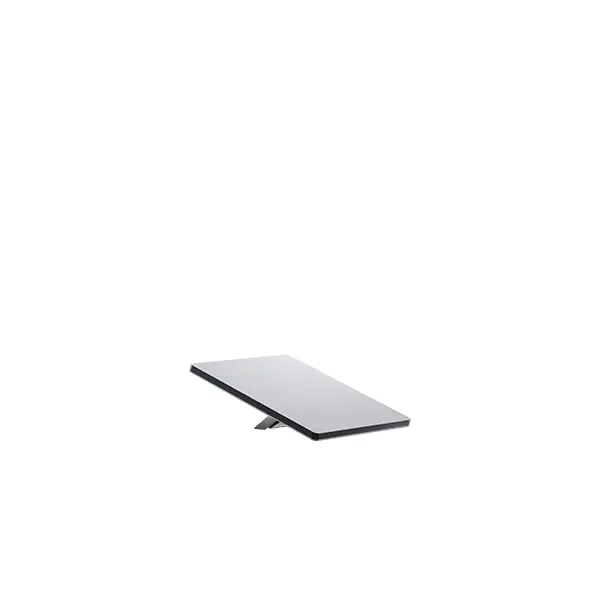
One of the most useful troubleshooting distinctions is the difference between the Starlink satellite link and the local Wi-Fi link. A terminal can have an excellent sky view while a laptop experiences slow or inconsistent service because the router is behind reinforced concrete, inside a metal cabinet, on a different floor, or simply too far from the user. The reverse can also happen: a phone may show strong Wi-Fi bars while the dish experiences obstruction. Fourteck tests these layers separately so that “the internet is slow” becomes a specific problem with a specific next action.
Basic configuration includes establishing a clear network name and strong password, checking that the intended devices are joining the correct SSID, and positioning the Starlink router or Wi-Fi source where it can serve the main user area. For small spaces, the supplied router or Mini’s integrated Wi-Fi may be enough. For larger villas, multi-floor offices, warehouses or compounds, one wireless point may not provide suitable coverage. In those environments the customer may need Starlink mesh, wired access points or an existing enterprise Wi-Fi system. The correct answer depends on building materials, floor layout, number of users and whether Ethernet cabling is available.
Fourteck avoids a common Wi-Fi shortcut: placing a mesh node directly inside the dead zone and expecting it to create strong backhaul from nothing. A wireless mesh node needs a usable connection to the main node as well as a useful location for client devices. Where walls, floors or metal partitions make wireless backhaul weak, wired networking can be the better design. Customers whose requirement is specifically expanding coverage can use the Starlink Mesh WiFi Setup Service Dubai page. Customers who only need help with the Starlink router layer can use Starlink Router Setup Service Dubai.
For business sites, the supplied Starlink router does not automatically replace the need for network security, segmentation, managed Wi-Fi or traffic policies. An office may still require a firewall, separate staff and guest networks, protected CCTV, secure remote access and managed switches. Fourteck can retain the Starlink router where appropriate or design the handoff into existing infrastructure. Configuration should be based on the required network functions rather than an assumption that “bypass mode” or a third-party router is always better. Every additional layer changes the troubleshooting path and should be documented.
Business network integration: firewall, Ethernet, failover and remote access
A Starlink kit used by one laptop is simple. A Starlink kit used by an office becomes part of a network architecture. Fourteck’s configuration service can extend from the supplied router to the point where the connection is usable by the customer’s existing LAN. That may mean a straightforward Ethernet handoff to a switch, or it may mean a firewall with two WAN links, VLANs, access points, site-to-site VPN requirements, CCTV, VoIP and cloud applications. The design is scoped according to the customer environment because each of those functions introduces choices that do not exist in a basic home setup.
For backup internet, the most important question is not whether a second WAN cable can be connected. It is what the business expects to happen when the primary line fails. Some sites only need staff browsing and cloud access to continue. Others need VPNs, payment terminals, phone systems or remote monitoring to survive the transition. A firewall can be configured to monitor the primary path and use Starlink when required, but the failover behavior, DNS, session handling and application tolerance should be tested. A design that technically changes routes may still interrupt a live call or long-lived VPN session. The handover should explain those expectations rather than promising invisible failover for every application.
Remote-access requirements also need care. Customers sometimes assume that any internet service supports traditional inbound port forwarding in the same way as a static public IPv4 business circuit. Starlink addressing and public-IP options can vary by plan and region. Fourteck therefore checks the actual service and recommends an approach that fits it. Cloud-managed systems, outbound VPN tunnels, secure overlay networking or vendor relay services can be more practical for CCTV and remote support than exposing inbound ports. Where a public IP is a hard requirement, plan capability should be confirmed rather than inferred from the fact that the connection is working.
CCTV is a good example. The cameras may be local and record to an NVR even if the internet is unavailable. Remote viewing may use the camera vendor’s secure cloud or peer-to-peer service, a VPN, or an inbound connection depending on the system. Starlink bandwidth, plan conditions and network design can affect that experience, but the correct solution is not to open every port on the firewall. Fourteck treats CCTV connectivity as an application requirement and preserves basic network-security principles while integrating the satellite link.
Voice and video applications are similarly tested as applications rather than judged only by download speed. Microsoft Teams, Zoom, cloud PBX, SIP traffic and remote desktops care about latency, jitter, packet loss and session behavior. Starlink is capable of supporting interactive applications in many deployments, but real performance varies by location, plan, congestion, weather and network conditions. The commissioning process therefore includes representative use tests when the customer identifies them as business-critical.
Testing a Starlink setup without chasing one speed-test number
Speed tests are useful, but they are often overused as the only acceptance criterion. A single result depends on the test server, local Wi-Fi, device capability, current network demand and the Starlink service state at that moment. Fourteck uses a layered test approach so that the customer can distinguish the quality of the satellite connection from the quality of the local network.
| Check | What it tells us | If it is weak |
|---|---|---|
| App terminal status | Whether the Starlink hardware is online and reporting an obvious installation or service condition. | Check physical setup, service/account status, alignment, obstruction and recent movement before changing the LAN. |
| Obstruction information | Whether the terminal’s view of the sky is being interrupted in actual operation. | Compare the physical location with a better roof, wall or pole position; do not mask obstruction with router changes. |
| Router-to-internet test | A better view of the WAN path without treating one client’s weak Wi-Fi as the Starlink link. | Review service conditions, terminal state and plan before assuming Wi-Fi is the cause. |
| Client Wi-Fi test | What the real user device experiences in the room where it is used. | Review router placement, band behavior, interference, distance, walls and mesh/access-point design. |
| Ethernet device test | Helps remove local wireless conditions from the test when supported by the hardware/network. | Check router, cable, switch, firewall and WAN path in a controlled order. |
| Application test | Whether the connection performs acceptably for the actual job: calls, VPN, CCTV, cloud ERP or remote desktop. | Investigate latency, packet loss, routing, firewall policy and application design instead of chasing download speed alone. |
This method also makes post-install support easier. If the obstruction status remains clean and a wired business device is stable while one upstairs bedroom has poor performance, the next step is Wi-Fi design. If every device loses connectivity at the same time and the app reports obstruction, the physical view is more relevant. If the Starlink link remains online but an inbound remote-access service fails, the investigation moves to addressing, firewall and application architecture. The customer receives a troubleshooting map instead of a generic instruction to reboot everything.
Common setup problems and the right layer to investigate
“The dish is online but calls drop.”
Review obstruction history, Wi-Fi quality at the call location, latency/jitter, VPN behavior and whether the problem follows one device or the entire site. A single speed test may not reveal intermittent interruption.
“Wi-Fi is strong beside the router but weak upstairs.”
The satellite link may be fine. Move the router if practical, assess floor construction, and decide whether a mesh node or wired access point is needed. Treat this as local coverage design.
“The app says obstructed.”
Investigate the physical field of view first. Compare the current position with another location using the obstruction tool. Router replacement will not remove a wall, tank, crane or tree from the terminal’s sky view.
“Our CCTV works locally but remote viewing fails.”
Check the CCTV remote-access method, firewall, VPN or vendor cloud path. Do not assume inbound public addressing or port-forward behavior without confirming the Starlink plan and network design.
“The kit keeps reconnecting after power changes.”
Check the supported power arrangement, connectors and power quality. At remote sites, generator or inverter behavior may need separate electrical assessment before network settings are changed.
“The new router made the network more complicated.”
Document which device is routing, which device provides Wi-Fi, where DHCP runs and how the firewall is connected. Avoid stacking routing layers without a reason; simplify before adding more equipment.
Dubai deployment patterns: villas, towers, warehouses, project sites and remote locations
Dubai is not one installation environment. A useful Starlink configuration page needs to reflect the difference between a villa compound, a high-rise balcony, an industrial warehouse and a temporary construction cabin. Fourteck uses the intended property and operating model to decide what belongs in the configuration scope and what should move into a dedicated installation or networking project.
Villas and large homes
Villas often provide more mounting options than apartments, but they can create a different problem: the dish can be placed on the roof while the people who need Wi-Fi are spread across multiple floors. The setup therefore has two location decisions, not one. The first is the terminal position with a useful sky view and safe permanent-mount path. The second is the router or access-point design inside the property. If the cable terminates in a utility room at one edge of the building, leaving the Starlink router there may be convenient for the installer but poor for the user. Fourteck reviews whether the supplied router can be located more centrally, whether structured cabling exists, and whether mesh or wired access points are more appropriate.
High-rise apartments and managed buildings
Apartment deployments are shaped by permission, balcony orientation, façade restrictions and shared roof access. A balcony that is physically open may still have an unsuitable sky view because of the tower above, neighboring buildings or the direction of the opening. Fourteck can check the technical requirement, but building-management approval, safe external mounting and common-area access remain separate considerations. Customers should not treat a technical “possible” as automatic authorization to drill, clamp or route cables through managed property.
Warehouses and industrial facilities
Warehouses often have generous roof area but complex internal networking. Metal construction, long distances and equipment rooms can make Wi-Fi much more difficult than the satellite link. The practical design may be terminal on a suitable roof position, protected cable to a network room, Ethernet handoff into a firewall, and managed access points distributed through offices or operational areas. A single consumer router at the end of a long building is unlikely to be a complete enterprise coverage plan. If Starlink is backup for fibre, dual-WAN behavior and UPS coverage should be designed at the same time.
Construction sites and temporary cabins
Temporary sites value speed of deployment, but temporary should not mean careless. Cabins can move, cranes can change the sky view, dust and site traffic can damage loose cabling, and power may come from generators. Fourteck can commission the kit in a movable form while documenting what needs to change if the terminal is relocated. For a growing site, a small Wi-Fi network may later become several cabins, CCTV, biometric attendance, VoIP and a firewall. Starting with a documented configuration makes that expansion easier.
Farms, desert sites and remote facilities
Remote locations may have excellent open sky but limited power, long cable paths or no climate-controlled network room. The setup should consider equipment placement, reliable power, weather exposure, physical security and how users will reach the connection from buildings or outdoor work areas. A Starlink terminal solving the WAN problem does not automatically solve site-wide Wi-Fi. Point-to-point links, outdoor access points, Ethernet or fiber between buildings can become part of a larger network design when the property is spread over distance.
Where this service ends and related Starlink services begin
Customers often use “setup,” “installation,” “configuration,” “activation” and “Wi-Fi” as interchangeable words. Fourteck keeps the service boundary clear so that the customer can request the right job and avoid paying for work that is not required.
| Requirement | Best Fourteck page | Primary scope |
|---|---|---|
| Commission an existing kit | This page | App, alignment, obstruction review, Wi-Fi/router settings, testing, LAN integration and handover. |
| Complete property installation | Starlink Internet Installation Service Dubai | Broader end-to-end installation planning from location and mounting through network readiness. |
| Find the best location before work | Starlink Site Survey Service Dubai | Sky-view assessment, route planning, property constraints and installation-readiness review. |
| Permanent roof fixing | Starlink Roof Mount Installation Dubai | Roof-specific mounting position, safe route and permanent installation considerations. |
| Raise the terminal above obstructions | Starlink Pole Mount Installation Dubai | Pole/pipe mounting approach, clear-sky elevation and cable-route planning. |
| Improve indoor Starlink Wi-Fi | Starlink Mesh WiFi Setup Service Dubai | Coverage survey, mesh-node placement, pairing and expansion for larger spaces. |
| Configure the Starlink router layer | Starlink Router Setup Service Dubai | Router-focused Wi-Fi, Ethernet and network integration support. |
This separation keeps the customer-facing scope understandable while still allowing services to be combined. A villa may need site survey, roof mount, dish commissioning and mesh Wi-Fi. A business may already have the dish mounted and need only app verification plus firewall failover. A construction team may need a portable commissioning job today and a permanent pole mount after the site layout stabilizes. Fourteck can combine the work in a quotation without pretending that every customer has the same project.
Service-plan, activation and eligibility checks before final handover
Hardware setup and service eligibility are related but not identical. A kit can be physically installed correctly while the account, address, plan or intended usage still needs confirmation. Starlink’s service plans and availability can change by market and network conditions. The customer should therefore confirm the current service address and plan in the Starlink account or official ordering flow rather than relying on an old price screenshot or a generic statement that one plan is available everywhere in the UAE.
Fourteck can help customers understand the technical implications of a plan choice—for example, whether a deployment is fixed, portable, business-focused or intended for a supported mobility use—but does not invent eligibility where the operator’s current rules need to be checked. Moving hardware between countries, using equipment outside the authorized service location, transferring a kit, using rented hardware, or operating in motion can have additional conditions. These should be resolved through current Starlink account and legal guidance before the setup is treated as operationally complete.
This matters for procurement teams because the same physical dish may be discussed in several commercial contexts. A company may buy hardware for a Dubai office backup link, a temporary project outside the city, a vessel, or a regional field deployment. The mounting and network skills may overlap, but the permitted service mode, account ownership and plan behavior are not automatically the same. Fourteck’s commissioning handover records the intended use so that network decisions are not separated from the service model the customer actually ordered.
Configuration for backup internet and business continuity
Starlink is often considered in Dubai as a second connectivity path for locations that already have fibre, fixed wireless or mobile service. The business value comes from diversity: the backup should fail for different reasons from the primary connection. But simply placing a Starlink router beside the existing firewall does not create business continuity. The configuration needs a policy for when the backup is used, which traffic is allowed, how important applications behave during a transition, and which network devices remain powered during an outage.
A small office may be satisfied with manual failover: staff connect to the Starlink Wi-Fi if the primary ISP fails. This is simple and transparent, although it requires user action. A larger office may prefer automatic failover on a firewall. In that case Fourteck can help define health checks, WAN priority and routing behavior. Some businesses may choose active/standby because it is easier to control, while others may use policy-based routing or load balancing for selected traffic. The right design depends on the firewall, plan, applications and business tolerance for brief session interruption.
Testing should include a deliberate primary-WAN failure during an agreed window where possible. It is better to discover during commissioning that a cloud phone, VPN or DNS dependency behaves differently on Starlink than to learn it during a real outage. The test should also include recovery to the primary circuit. Failback behavior can matter as much as failover, particularly for long-lived sessions and systems that cache routes or public addresses.
Power continuity should be part of the same conversation. If the Starlink terminal, firewall, switch and access points are on different unprotected circuits, the organization may have a technically redundant WAN with no usable LAN during a building power event. Fourteck can identify the network equipment that belongs in the UPS plan, while a qualified electrical provider handles building-side power work where required.
Security and maintainability after Starlink is online
A successful setup should be maintainable by someone other than the person who performed the first installation. Fourteck therefore treats basic documentation as part of the configuration result. At minimum, the customer should know which device is the router, which Wi-Fi network belongs to Starlink, where the main power components are located, how to open the Starlink app, and which equipment should be restarted if a controlled reboot is required. Business sites should also know which firewall WAN interface receives Starlink, whether bypass mode or another routing design is in use, and where the configuration backup is stored according to company policy.
Passwords and account access should remain with authorized customer personnel. Shared installer passwords, easily guessed Wi-Fi keys and undocumented admin credentials create avoidable support risk. Fourteck can help establish secure credentials and a handover process without asking the business to expose passwords in public tickets or unprotected documents. Where third-party networking is used, firmware, cloud-management ownership and backup policy should also be clear.
Network segmentation is considered when the site contains systems with different trust levels. Staff devices, guest users, CCTV, access control, printers and IoT equipment do not always belong on one flat network. The supplied Starlink router may be sufficient for a straightforward home or small office, but more complex segmentation can require a separate firewall and managed access points. Fourteck explains that boundary rather than implying that every security requirement can be solved inside the Starlink app.
Remote management is planned with the same caution. A secure outbound management platform or VPN is preferable to casually exposing device admin interfaces to the internet. If the customer requires remote access to an internal system, the actual Starlink addressing and plan capability should be checked. The final design should be supportable even if the WAN address changes, which is why cloud-managed or tunnel-based approaches are often easier for remote sites than assumptions built around a fixed inbound IPv4 address.
Dubai and UAE service coverage for setup discussions
Fourteck receives Starlink setup and configuration enquiries from Dubai villas, offices, warehouses, project locations and remote sites, with wider UAE requests depending on the exact scope, site access and scheduling. Dubai examples include Jumeirah, Palm Jumeirah, Arabian Ranches, Dubai Hills, Mirdif, Al Barsha, Business Bay, Downtown Dubai, Dubai Marina, JLT, Deira, Bur Dubai, Al Quoz, Ras Al Khor, Jebel Ali, Dubai Investment Park and Dubai South. The property type matters more than the postcode alone. A managed tower can require approval and constrained cable routing, while a villa may offer roof space but need a multi-floor Wi-Fi design.
Requests from Abu Dhabi, Al Ain, Sharjah, Ajman, Ras Al Khaimah, Fujairah and Umm Al Quwain can be discussed according to project requirements. Industrial and remote projects may need a different preparation checklist from residential work: site induction, access timing, lift or roof-safety arrangements, generator/UPS information, network rack details, firewall make/model and the number of users or devices expected on the connection. Customers should share those details before scheduling so that configuration work is not delayed by missing access or network information.
For multi-country projects across the GCC or Africa, Fourteck can discuss hardware and network design, but Starlink service eligibility, regulatory status and plan availability must be confirmed for the destination country and intended use. A setup that is valid in Dubai should not be copied into another market without checking local service availability and operator terms. This is especially important for mobility, maritime and cross-border deployments.
What to prepare before requesting Starlink setup and configuration in Dubai
A useful pre-service brief makes the quotation more accurate and helps the technician arrive with the right expectation. Customers do not need to know every technical detail, but a few photographs and answers can separate a simple commissioning visit from a larger installation project.
Share the exact Starlink kit or clear photos of the terminal, router, power supply and labels. Mention whether the kit is new, transferred, already active or previously used elsewhere.
Villa, apartment, office, warehouse, cabin, farm, remote site or other facility. Mention floors, roof access and any building-management restrictions that may affect placement.
Photos from the planned mounting area help identify obvious obstructions. The app scan is still the preferred technical check, but visual context helps plan the visit.
Approximate distance and where the router should be located. Mention existing conduits, risers, network rooms or whether a new wall/roof penetration would be required.
A few home devices, a 20-person office, CCTV, POS, VoIP and cloud systems create very different Wi-Fi and LAN requirements.
Share firewall, router, switch and access-point details if Starlink must integrate with them. Mention whether the goal is primary internet, backup or an isolated temporary network.
This information also helps Fourteck identify when the customer should start with a site survey rather than booking configuration directly. If the kit is still unopened and there is no known dish position or cable path, site planning may be the more efficient first step. If the dish is already mounted with a clean sky view and the customer only needs app, router and LAN support, a focused commissioning scope can be more appropriate.
Commissioning checklist for homes and businesses
The checklist below is designed as a handover reference. Not every item applies to every project, but it shows the areas Fourteck considers before calling a setup complete.
Dish and app
- Exact terminal generation identified.
- Proposed or permanent location checked for obstruction.
- Model-appropriate alignment completed without forcing hardware.
- App recognizes the terminal and reports an online state.
- Software/update status reviewed where visible.
- Obstruction behavior reviewed after suitable operating time.
Cable and power
- Correct cable path and connector seating checked.
- Power supply placed in a suitable environment.
- Loose, damaged or obviously stressed cabling avoided.
- UPS requirement discussed if continuity matters.
- Electrical concerns separated from network troubleshooting.
Wi-Fi and LAN
- SSID and password set or confirmed.
- Router location checked against user areas.
- Representative client devices tested.
- Ethernet, switch or firewall handoff tested where required.
- Mesh/access-point recommendation documented if one router is insufficient.
Business handover
- Primary versus backup role documented.
- Firewall failover tested if included in scope.
- Critical applications tested where practical.
- Remote-access limitations or plan dependencies explained.
- Customer retains account and credential ownership.
- Follow-up actions documented instead of being left as assumptions.
Why a commissioning-focused service is useful even when Starlink is designed for self-setup
Starlink’s self-install approach is one of its strengths. A customer with an open site, simple indoor layout and basic connectivity requirement may be able to set up the kit without professional assistance. Fourteck’s service is most useful when the environment or business requirement adds complexity. That can mean a difficult sky view, a permanent mount, a long or protected cable path, a multi-floor Wi-Fi requirement, integration into an existing firewall, failover, CCTV, remote access, or simply the need for documented handover to an IT team.
Professional help should therefore add engineering clarity rather than duplicate the quick-start guide. The value is in checking the assumptions that self-install instructions cannot know about: whether the roof is accessible, where the network rack sits, whether a balcony is actually viable, which users need reliable coverage, whether the company already has an enterprise Wi-Fi system, whether inbound connectivity matters, and whether the backup link remains useful when local power fails. The Starlink app can tell the customer about the terminal; it cannot design the rest of the property’s network by itself.
Fourteck also keeps model and operator guidance current rather than treating every online article as permanent. Starlink hardware, routers, plans and app behavior continue to change. A setup document written for an older actuated dish can be misleading for a current manually aligned terminal, and a router guide written before Router Mini may not match a new bundle. The commissioning process starts from the actual hardware in front of the customer and uses current official guidance where the model-specific detail matters.
Starlink dish setup and configuration FAQ
Do I need professional help to set up Starlink in Dubai?
Not every customer does. Starlink is designed for self-setup in straightforward environments. Professional help becomes useful when you need a permanent roof or pole solution, have a difficult sky view, want clean cable routing, need multi-floor Wi-Fi, must integrate with a firewall or business LAN, or want the system tested and documented for business use.
Does a Starlink dish need manual satellite alignment?
It depends on the hardware. Current Standard and Mini terminals use software-assisted manual orienting through the Starlink app, while older actuated Starlink terminals can position themselves. The correct setup method should be chosen from the exact model rather than from a generic Starlink video.
How do I know whether the installation location has enough sky view?
Use the Starlink app’s obstruction tool from the intended terminal position and height before permanent mounting. After the system is online, review its obstruction information again because operational data can reveal interruptions that are not obvious from a casual visual inspection.
Can Fourteck configure Starlink if I already own the kit?
Yes, the commissioning scope is suitable for customers who already have the hardware. Share the kit model, current status, property type, proposed dish location and whether you need simple Wi-Fi or integration with an existing network so the correct scope can be planned.
Can Starlink be connected to my existing firewall and switches?
Yes, in many business designs Starlink can be integrated into an existing network. The exact topology depends on the Starlink router, Ethernet options, firewall and whether Starlink will be primary or backup. Fourteck documents which device handles routing and avoids adding unnecessary double-routing or unmanaged complexity.
Can Starlink be used as backup internet for an office?
It can be planned as a backup path where service availability, plan and site conditions are suitable. The network should define whether failover is manual or automatic, which applications must continue, and which devices need UPS power. Application behavior should be tested rather than assuming every session will survive a WAN change without interruption.
Why is my Wi-Fi slow when the Starlink app says the dish is online?
The satellite connection and indoor Wi-Fi are separate layers. A router behind thick walls or far from the user can create poor local performance even when the dish has a clear sky view. Compare router-side, wired and client Wi-Fi tests to identify which layer needs attention.
Will one Starlink router cover a large Dubai villa?
It depends on the floor plan, wall construction and router location. Large or multi-floor properties may need mesh or wired access points. Fourteck checks the actual coverage requirement instead of assuming that a quoted router coverage figure applies equally through concrete walls and floors.
Can I use Starlink for CCTV remote viewing?
Yes, CCTV systems can use Starlink as their internet path, but the remote-access method matters. Cloud/P2P services, VPNs and inbound port-based designs behave differently. Public addressing and plan capabilities should be checked before relying on traditional port forwarding.
Should Starlink be connected to a UPS?
A UPS is worth considering when the connection is used for business continuity, remote monitoring or sites with unstable power. UPS sizing should use the actual Starlink kit plus the firewall, switches and access points that must remain online. Power demand differs by model and operating conditions.
Do you also install roof and pole mounts?
Fourteck can discuss permanent mounting requirements, but roof and pole work is treated as a separate installation scope because structural access, cable routing and property conditions vary. Dedicated roof-mount and pole-mount service pages explain those requirements in more detail.
Can Fourteck help across the UAE, not only Dubai?
Fourteck can discuss projects across the UAE, including Abu Dhabi, Sharjah, Ajman, Ras Al Khaimah, Fujairah and Umm Al Quwain. Actual service scheduling depends on project scope, site access, technician availability and the customer’s location.
What should I send before asking for a Starlink configuration quote?
Send the kit model or photos, property type, area, proposed dish location, approximate cable route, number of users and whether Starlink must connect to an existing firewall, switch, CCTV or Wi-Fi system. Those details help Fourteck decide whether you need configuration only or a wider installation/site-survey scope.
Plan a clean Starlink handover with Fourteck
If you already have a Starlink kit and want help getting it from physical setup to a verified working network, share the hardware model, property type, location and intended use. Fourteck can scope a focused Starlink Dish Setup and Configuration Dubai service for app commissioning, obstruction review, Wi-Fi/router configuration, network integration, testing and handover. If the property also needs a new mount, site survey, mesh design or firewall failover, those requirements can be added as separate work rather than hidden inside a generic installation line.
For current service-plan eligibility, activation rules and operator terms, confirm the final service address and plan through Starlink’s official account or ordering flow. For Fourteck installation and network support, provide the site details so the technical scope can be matched to the actual Dubai or UAE environment.